I used to play Skyrim a lot when I was younger and recently I was really craving another session in the game. Unfortunately my Windows PC died recently and I bought a Mac Mini instead. Most games that I play work on Mac, so I didn’t think much of it. Until recently, when I really wanted to play Skyrim. So, in the rabbit hole I went.
There are many different options to run Windows-only games. Some are paid, such as Parallels Desktop or CrossOver, but there are also free alternatives that require a bit more fiddling around, such as Sikarugir. As I like fiddling around with my computer, I decided to go for Sikarugir. When first reading online it sounded way scarier and more complicated than it actually is.
Step 1: Installing Sikarugir
The installation instructions can be found on the Sikarugir GitHub repository and it’s fairly straightforward.
brew upgrade
brew install --cask Sikarugir-App/sikarugir/sikarugir
On Apple Silicon systems you are also required to install Rosetta2
/usr/sbin/softwareupdate --install-rosetta --agree-to-licenseStep 2: Installing Steam
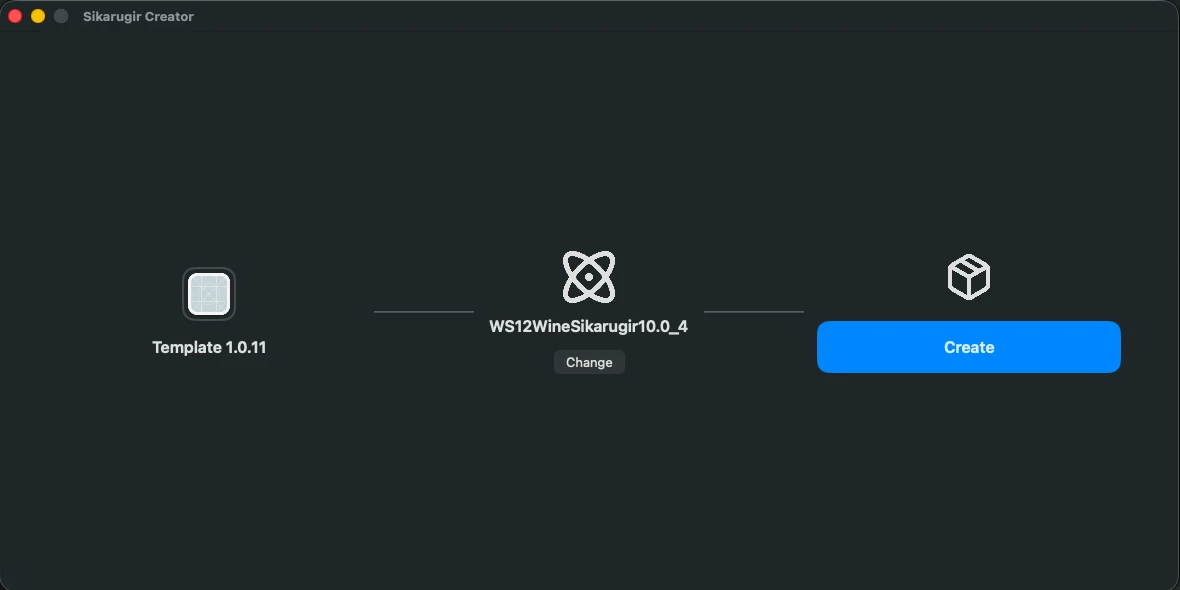
Now you can find the Sikarugir Creator in your /Applications folder. Open the application, select WS12WineSikarugir10.0_4 as Engine and create an application. Name this application for example Steam.app.
When it’s done creating, you’ll get the option to launch the application. The first time you launch it, you’ll get a configuration screen. If you accidentally close it, you can always reopen it again by right-clicking and selecting Show Package Contents and then navigate to Contents > Configure

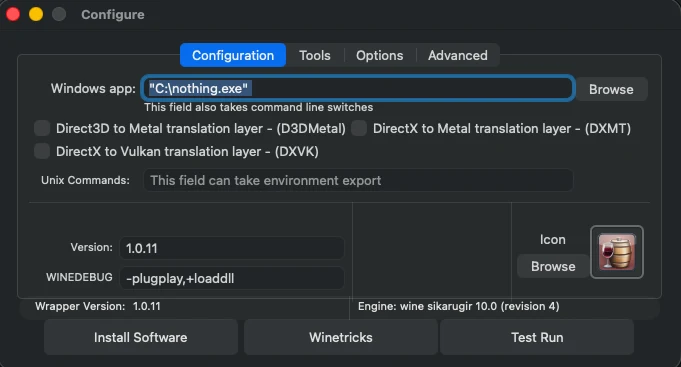
In this configuration screen, click Winetricks
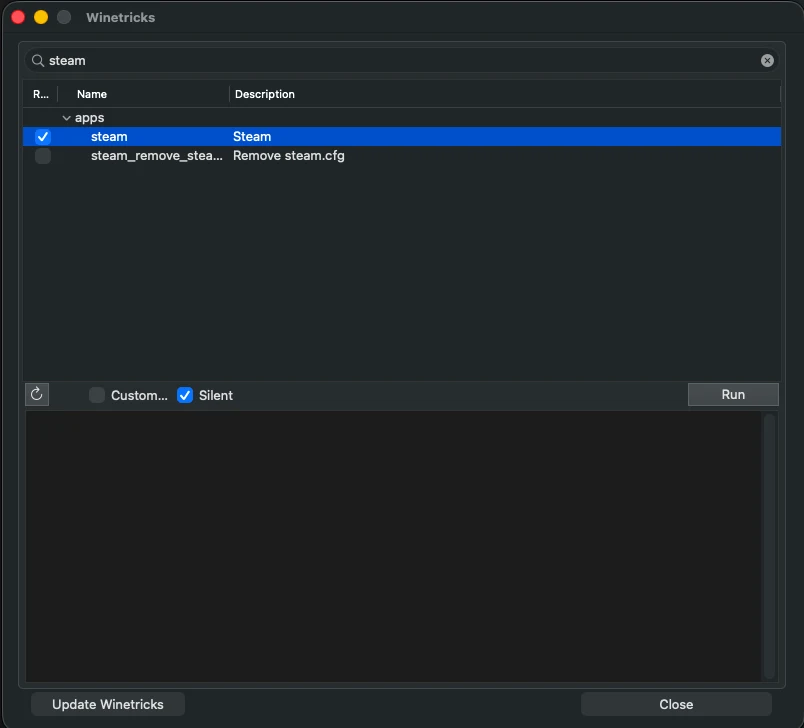
Search for Steam and Run it
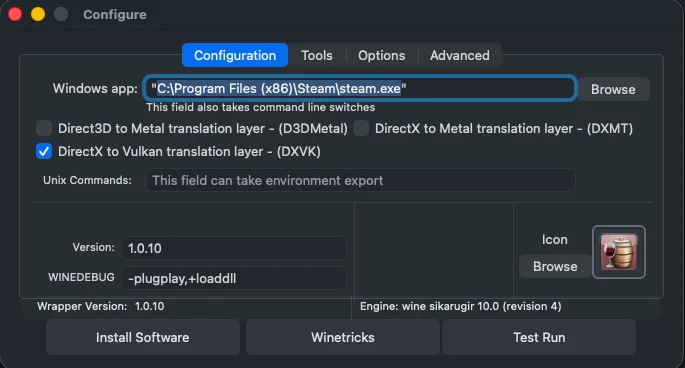
Once that is finished, click “Browse” to select the Steam executable in C:\Program Files (x86)\Steam\steam.exe and select “DirectX to Vulkan translation layer - (DXVK)”
 And that is basically it. Now you can run this Application that you just created and it will open Steam on Windows. From there you can install and launch Skyrim.
Bonus Points: Mods
ReShade
I was hoping it would be possible to install ENBs with this approach, but it turns out that’s not possible. The next best thing is ReShade, but that requires running an executable.
You can do this by downloading the ReShade executable, opening the configuration of your screen again and selecting “Install Software > Choose Setup Executable”. This opens the setup of ReShade in the ‘fake Windows’ where Steam and Skyrim are installed.
Normal mods
I haven’t found a clean solution to install mod managers such as Mod Organizer 2, but you can download all mod files and copy paste them in the Skyrim folder. You can navigate to the C-drive by opening the Package Contents, the same way you can find the Configure window. Next to the Configure, there’s a folder named drive_c, which is the Windows file system. Navigate to the Skyrim folder (Program Files (x86)/Steam/steamapps/common/Skyrim Special Edition/) and paste all the mod files in the Data folder.